

My Steam Deck can pretty much do whatever I want it to. It can run many of the biggest Steam games and nearly all emulators. With some tinkering, I got it to natively run Crunchyroll and other anime websites too. Last summer, I picked up a dock so I could turn the Steam Deck into a true hybrid powerhouse. But you can’t play docked without a controller, so I invested in a cheap and flimsy one that got the job done.
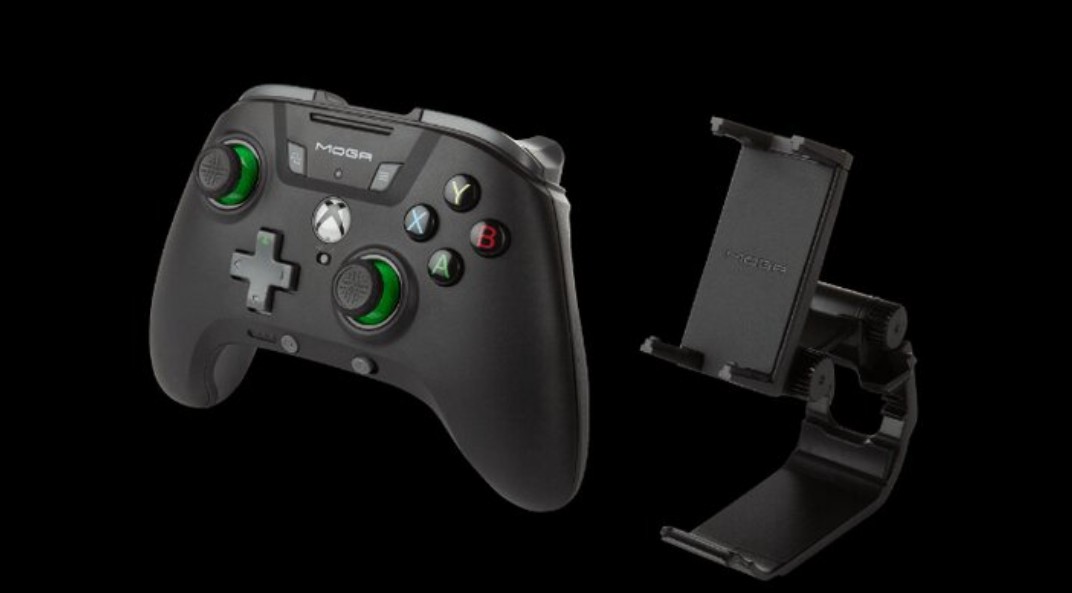
But this week, PowerA sent me a controller to test out. It’s called the MOGA XP5 X Plus Bluetooth controller. Despite being branded as an Xbox controller, it works on pretty much everything. In the days leading up to PAX East, I decided to test its compatibility with my Steam Deck and phone. That’s right, it claims to work well with mobile games and even comes with a dedicated clip to attach your phone.
The day it arrived, I spent two hours setting everything up. I connected it to the Steam Deck and had to manually change the control layout for every app. Then I downloaded a few mobile games to test out the clip. Lastly, I did extensive testing on Steam games, mobile games, and anime. After a few hours, I was quite impressed.
First I tested its mobile compatibility. I had a lot of time to kill on the bus ride to and from PAX East, so I got a few hours of testing in. At first, I was a bit skeptical that things could go wrong. It took multiple attempts to securely connect the clip to the controller. I also feared that the phone could pop out of the clip, or that the combined weight of the phone and clip would make the whole thing snap off.
Fortunately, these weren’t really issues. All I had to do was make sure that the button mapping was correct. I tested with multiple games for about 30 minutes each, and they all worked well. It felt unnatural at first, but playing mobile games with a real controller will always beat touchscreen controls. My only concern by the end was that the entire build was heavy between the phone, clip, and controller. My arms got tired rather quickly.
The controller is also equipped with an internal power bank that boasts 3,000 mAh. That’s not a lot because many power banks do 10,000 or 20,000 mAh, and the phone will be using a lot more power when gaming. But this is great for keeping your phone charged throughout a 30 to 60 minute session.
The controller also works very well on the Steam Deck when docked. It uses an Xbox button scheme, which is nice for Steam games. I’ve used controllers in the past that had no symbols on the buttons or somehow registered as a Nintendo Switch controller. It was nice having a dedicated controller so I didn’t have to do too much messing with the controller settings.
The controller itself works very well when the Steam Deck is working as a full console. It’s a bit lighter than what I would have liked, and the joysticks are loud when flicked, but the controller is virtually flawless. There’s no input delay, it’s easy to use, and it feels good in your hands. I had to manually map each button to different keyboard and mouse controls to watch anime, but that worked well too.
The controller also works well with regular PC gaming and on smart TVs too. For $79.99, it’s good value for a multifunctional controller. If you want to read more about the controller, you can find it on the PowerA website.